Zoho Books to ERPNext Migration Guide: Why and How Growing Businesses Scale to Open-Source Cloud ERP
Outgrowing Zoho Books? Discover why scaling enterprises are migrating to ERPNext to eliminate per-user tier traps, gain full manufacturing & multi-warehouse controls, and own their data without ecosystem lock-in.
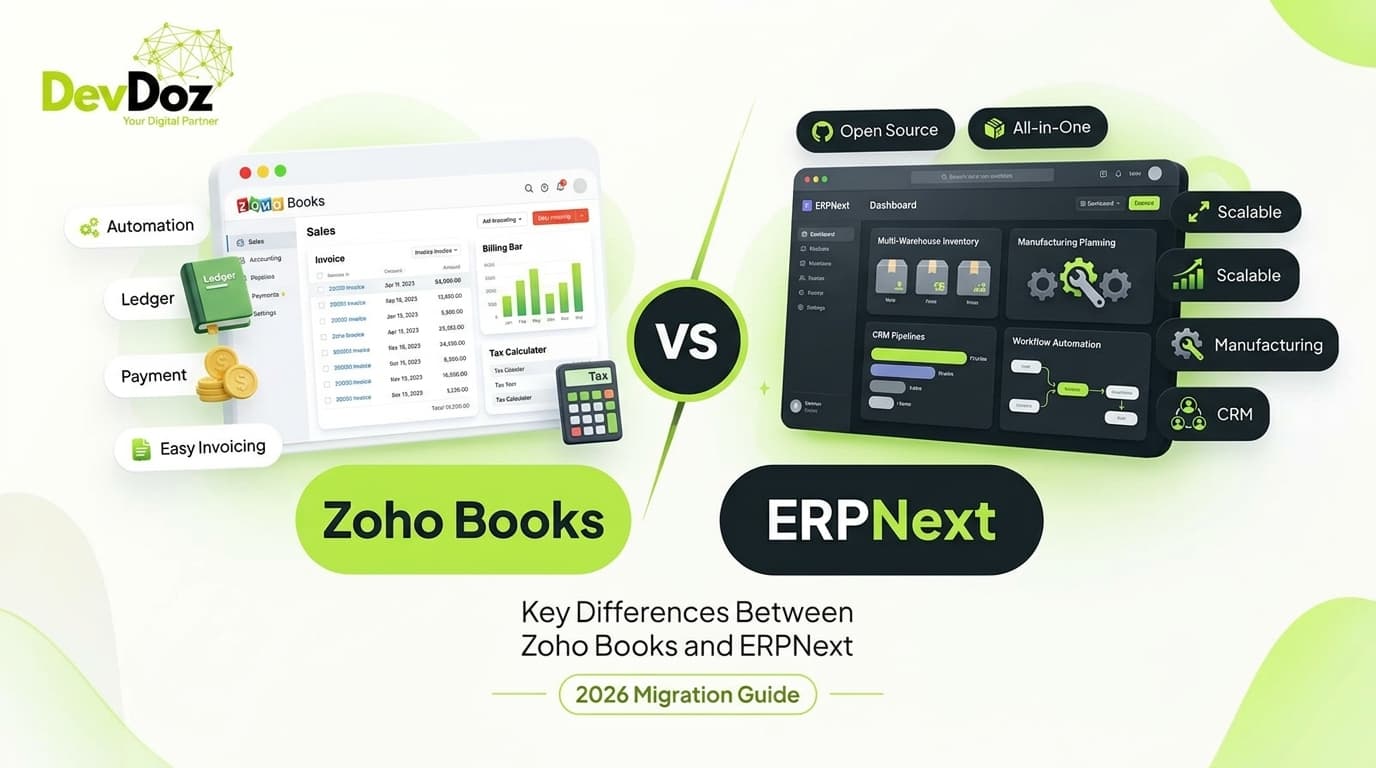
Outgrowing Zoho Books? Discover why scaling enterprises are migrating to ERPNext to eliminate per-user tier traps, gain full manufacturing & multi-warehouse controls, and own their data without ecosystem lock-in.
There is a familiar trajectory that many modern businesses experience. In the early stages, Zoho Books feels like a breath of fresh air. It offers a clean browser UI, straightforward invoicing, and hassle-free bank statement reconciliations.
However, as your transaction volume multiplies, your supply chain expands across multiple warehouses, and your operations require complex shop floor manufacturing, custom subcontracting, or deep e-commerce integrations, the limitations of Zoho Books start to surface.
Suddenly, you find yourself subscribing to fragmented tools across the Zoho suite—Zoho Inventory, Zoho CRM, Zoho Desk, and Zoho Creator. Each tool incurs separate per-user fees, syncs through fragile webhooks, and suffers from rigid API call thresholds. What started as an affordable $20/month accounting app morphs into an expensive, disjointed software web with vendor lock-in.
This is why high-growth enterprises are migrating to ERPNext — the world’s leading open-source Cloud ERP built on the Frappe Framework. In this definitive guide, DevDoz breaks down the business drivers, architectural differences, and exact step-by-step roadmap to migrate from Zoho Books to ERPNext cleanly.
Zoho Books vs. ERPNext: Head-to-Head Architectural Breakdown
To understand why organizations transition, let's examine the architectural realities of a specialized accounting SaaS versus a unified, full-scale ERP system:
| Feature & Architecture | Zoho Books | ERPNext (DevDoz Implementation) |
|---|---|---|
| Licensing & TCO Model | Per-user/month recurring subscriptions + addon costs for higher tiers & extra modules. | 100% Free & Open-Source (GPLv3). Zero per-user license fees. Unlimited users on your server. |
| Manufacturing & Assembly | Lacks native multi-level BOMs, work orders, routing, scrap tracking, and subcontracting. | Complete Production module: Work Orders, Job Cards, Multi-level BOMs, Capacity Planning & Subcontracting. |
| Inventory & Warehousing | Basic stock tracking. Requires separate Zoho Inventory subscription for advanced multi-warehouse. | Native multi-warehouse routing, batch/serial tracking, landed cost vouchers, auto-reorder & perpetual valuation. |
| Ecosystem Integration | Siloed across distinct apps (CRM, Desk, Books, People) requiring custom sync configurations. | Single unified database: Sales, Buying, Stock, Accounts, CRM, HRMS, Projects & Helpdesk in one platform. |
| Customization Flexibility | Constrained by proprietary Deluge scripting language, custom field caps, and API rate limits. | Unlimited customization via Python server scripts, JS client scripts, custom DocTypes, and full database access. |
| Data Ownership & Privacy | Data resides strictly in Zoho's proprietary multi-tenant cloud data centers. | 100% self-hosted on your own AWS/DigitalOcean/Hetzner VPS or managed Frappe Cloud. |
Why Scaling Businesses Choose ERPNext over Zoho Books
1. Elimination of the "Per-User SaaS Tax"
As your company grows from 10 to 50 or 200 team members across sales, warehouse, procurement, accounting, and leadership, per-user SaaS bills skyrocket. With ERPNext, whether you have 5 users or 500 users, your software licensing cost is exactly zero. You invest only in your hosting infrastructure and implementation partner, saving tens of thousands of dollars annually.
2. Truly Unified Operations (No More Tool Silos)
In the Zoho ecosystem, if a sales rep logs a deal in Zoho CRM, a webhook must push it to Zoho Inventory, which then creates an invoice in Zoho Books, while customer tickets live in Zoho Desk. If an API call fails or a token expires, data goes out of sync.
In ERPNext, a Quotation converts directly into a Sales Order, which instantly reserves stock in the Warehouse, triggers a Delivery Note upon dispatch, creates the Sales Invoice in the general ledger, and updates the customer's payment balance in real time—all within the exact same database transaction.
3. Real-Time Manufacturing & Subcontracting
If you manufacture goods, assemble bundles, or outsource production steps to third-party vendors, Zoho Books cannot handle your workflows. ERPNext provides a full-fledged Manufacturing module:
- Multi-level Bill of Materials (BOM) with operations costing.
- Work Orders with visual workstation scheduling and operator Job Cards.
- Raw material tracking, scrap management, and finished goods valuation.
- Subcontracted purchase orders with automated raw material transfers and service billing.
4. Total Freedom and Customization
Need a custom pricing tier algorithm based on customer credit history? Need an automated WhatsApp order confirmation pipeline? Need custom PDF print formats strictly formatted to government export guidelines? With Frappe Framework, you are never boxed in by proprietary constraints like Zoho Deluge. You have the full power of modern Python, Node.js, and REST APIs.
The 6-Phase Zoho Books to ERPNext Migration Strategy
At DevDoz, we execute migrations using a structured, zero-data-loss methodology:
Phase 1: Chart of Accounts (COA) Alignment
We export your existing Zoho Books Chart of Accounts and map accounts directly into ERPNext's standard 5-level tree structure. We map Zoho Account Types (e.g., Other Current Asset, Accounts Receivable, Cost of Goods Sold, Duties and Taxes) directly to ERPNext Root Types and group hierarchies, ensuring your balance sheet and P&L categories retain exact consistency.
Phase 2: Master Data Extraction & Cleansing
We extract core masters from Zoho Books via REST APIs and formatted CSV dumps:
- Customers & Suppliers: Contacts, billing/shipping addresses, tax IDs (GSTIN/VAT/Tax Numbers), and credit terms.
- Item Master: Item names, SKUs, barcode numbers, inventory valuation methods (FIFO / Moving Average), and purchase/selling price lists.
- Tax Templates: Sales tax templates, withholding taxes, and regional tax deduction rules.
Phase 3: Financial Cut-Off & Opening Balances
We establish a firm financial cut-off date. On this date, the following balances are compiled from Zoho Books:
- Trial Balance: Closing balances for bank accounts, cash in hand, fixed assets, loans, and equity reserves.
- Accounts Receivable (Customer Ledger): Open unpaid sales invoices with invoice numbers, invoice dates, due dates, and pending balances.
- Accounts Payable (Vendor Ledger): Open purchase bills and pending payments.
- Physical Stock Audit: Quantities, batch numbers, serial numbers, and unit valuation rates per warehouse.
Phase 4: Automated REST Ingestion & Ledger Posting
Using custom Python migration pipelines and Frappe's native Data Import engine, we ingest data in strict dependency order: Customers/Suppliers → Items → Opening Journal Entries → Opening Invoices → Stock Reconciliation.
Phase 5: Parallel Ledger Run & Reconciliation
We run a parallel operation period where day-to-day transactions are logged in both systems or cross-verified to guarantee that:
- Trial balance totals in ERPNext match Zoho Books 100%.
- Accounts Receivable and Accounts Payable ageing reports match down to the exact penny.
- Stock valuation accounts mirror physical warehouse counts.
Phase 6: Cutover, Role-Based Training & Go-Live
Zoho Books is archived to read-only status. Your sales, procurement, warehouse, and accounting teams receive personalized, role-tailored training sessions on ERPNext's desk interface, mobile app, and keyboard shortcuts.
Technical Migration Blueprint: Python Ingestion Script
Below is a sample automated script demonstrating how DevDoz queries the Zoho Books API (OAuth2) and creates corresponding records in ERPNext via Frappe REST API:
import requests

# ERPNext API Configuration
ERPNEXT_URL = "https://your-company.erpnext.com"
ERPNEXT_API_KEY = "your_frappe_api_key"
ERPNEXT_API_SECRET = "your_frappe_api_secret"

frappe_headers = {
    "Authorization": f"token {ERPNEXT_API_KEY}:{ERPNEXT_API_SECRET}",
    "Content-Type": "application/json"
}

def migrate_zoho_contact_to_erpnext(zoho_contact):
    """
    Transforms a Zoho Books contact dictionary into an ERPNext Customer DocType.
    """
    contact_name = zoho_contact.get("contact_name")
    is_customer = zoho_contact.get("contact_type") == "customer"
    tax_id = zoho_contact.get("tax_id", "")

    if not is_customer:
        return  # Handle vendor in supplier migration pipeline

    payload = {
        "doctype": "Customer",
        "customer_name": contact_name,
        "customer_type": "Company" if zoho_contact.get("company_name") else "Individual",
        "customer_group": "Commercial",
        "territory": "All Territories",
        "tax_id": tax_id,
        "currency": zoho_contact.get("currency_code", "USD")
    }

    response = requests.post(f"{ERPNEXT_URL}/api/resource/Customer", json=payload, headers=frappe_headers)
    if response.status_code == 200:
        print(f"✓ Migrated Customer: {contact_name}")
    else:
        print(f"✗ Error migrating {contact_name}: {response.text}")

# Example mock execution from Zoho Books JSON payload
mock_zoho_contact = {
    "contact_id": "982000001",
    "contact_name": "Apex Global Logistics",
    "company_name": "Apex Global Logistics LLC",
    "contact_type": "customer",
    "currency_code": "USD",
    "tax_id": "TAX-US-99120"
}

migrate_zoho_contact_to_erpnext(mock_zoho_contact)
Why Choose DevDoz as Your ERPNext Implementation Partner
Migrating from an established accounting tool like Zoho Books to an enterprise system like ERPNext is not merely an export-import task — it is an organizational transformation. A flawed migration can disrupt invoicing, create tax compliance errors, and frustrate team members.
At DevDoz, we bring deep domain engineering expertise to every deployment:
- Zero Data Loss Guarantee: Every open invoice, credit note, customer profile, and stock valuation is audited and balanced against verified trial balances.
- Custom Workflow & App Engineering: If your team relied on custom Deluge workflows, we rebuild them with high-performance Python and JavaScript Frappe custom apps.
- Zero-Downtime Migration Windows: We execute data cutovers over scheduled weekend windows to ensure Monday morning operations commence seamlessly.
- Post-Go-Live Support & Training: Continuous hand-holding, role-based staff onboarding, and 24/7 cloud maintenance.
Ready to Upgrade from Zoho Books to ERPNext?
Speak directly with our senior ERP architects. We will conduct a free audit of your current Zoho Books setup, evaluate your integration requirements, and design a custom migration roadmap.
Frequently Asked Questions

DevDoz Engineering Team
Frappe ERPNext Specialist & Tech Lead @ DevDoz
Muhammad Ali Husnain specializes in Frappe ERPNext architecture, custom doctype development, and AI process automations for enterprise clients across Pakistan, Saudi Arabia, and the UAE.
Tags
Share this article
Related Articles
Explore our latest insights, tutorials, and updates from the DevDoz team.
Is Your Business Ready for the Future? A Practical Guide to Switching to ERPNext
Discover why hundreds of growing businesses are leaving fragmented tools behind and moving to ERPNext — and how DevDoz makes that transition smooth, fast, and cost-effective.
ERPNext vs. Odoo: The Unfiltered Truth About Costs, Features, and Freedom
An honest, fact-based breakdown comparing ERPNext and Odoo. Discover why smart businesses are choosing ERPNext's 100% open-source model over Odoo's paywalled 'open-core' ecosystem to cut hidden costs and eliminate vendor lock-in.
Tally to ERPNext Migration Guide: How to Transition from Desktop Accounting to Cloud ERP
A complete roadmap for business leaders and accountants moving from Tally to ERPNext. Learn how to migrate Chart of Accounts, opening balances, inventory batches, and automate workflows with zero operational downtime.